
Official chat & agents
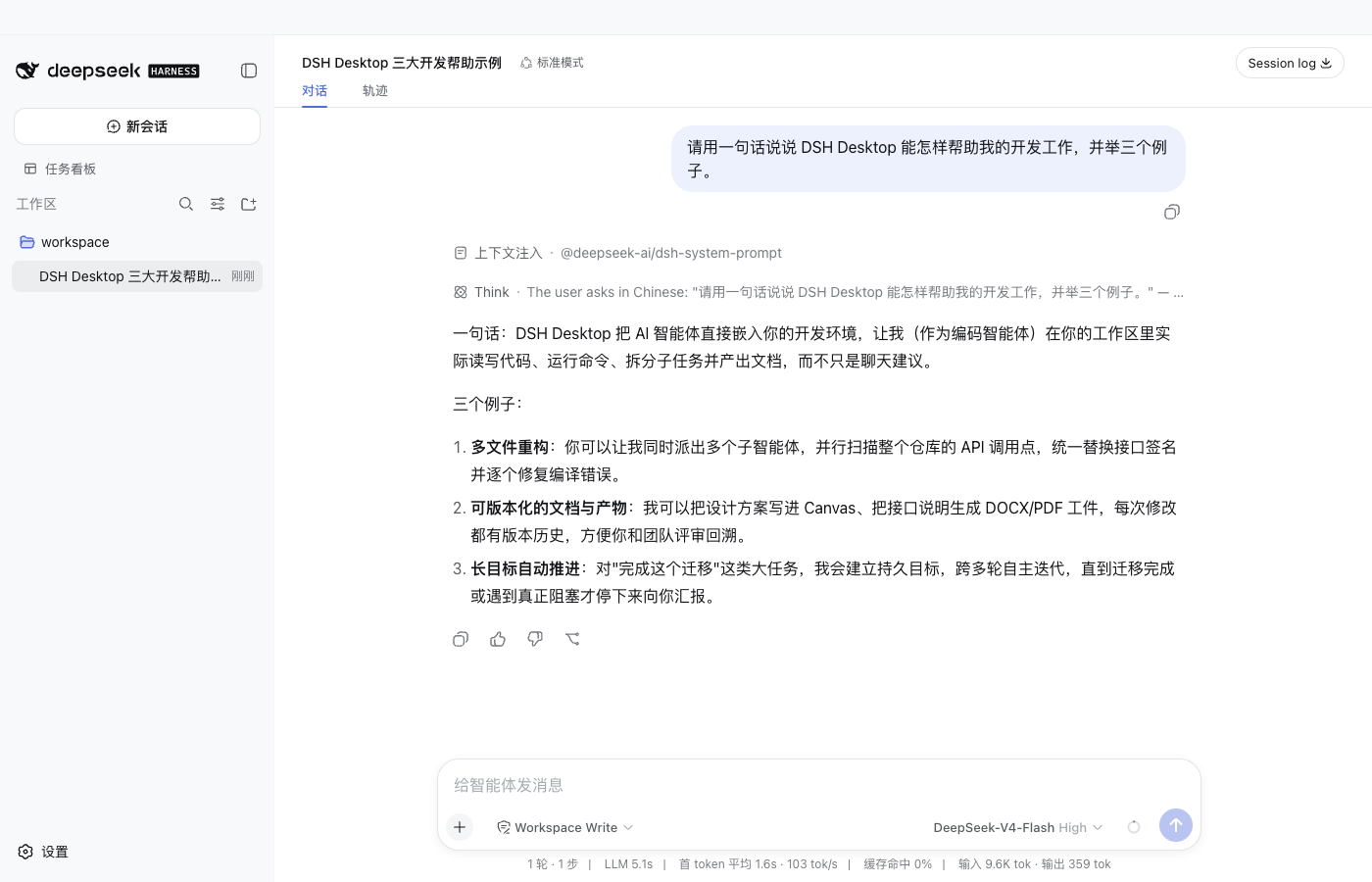
Sessions, agents, tools, skills, MCP, settings and history are managed by DSH itself — no second chat page, no private frontend fork.
v0.1.9 · Built on DeepSeek Harness 0.1.1-rc.2 · Community distribution
DSH Desktop runs the official DSH npm runtime and official Web directly, with a curated set of pinned and verified community bundles preinstalled. Chat, files, Git, terminal, tasks, Worktree and the plugin market all live in one DSH profile — no environment setup, no plugin hunting, no second plugin state to maintain.
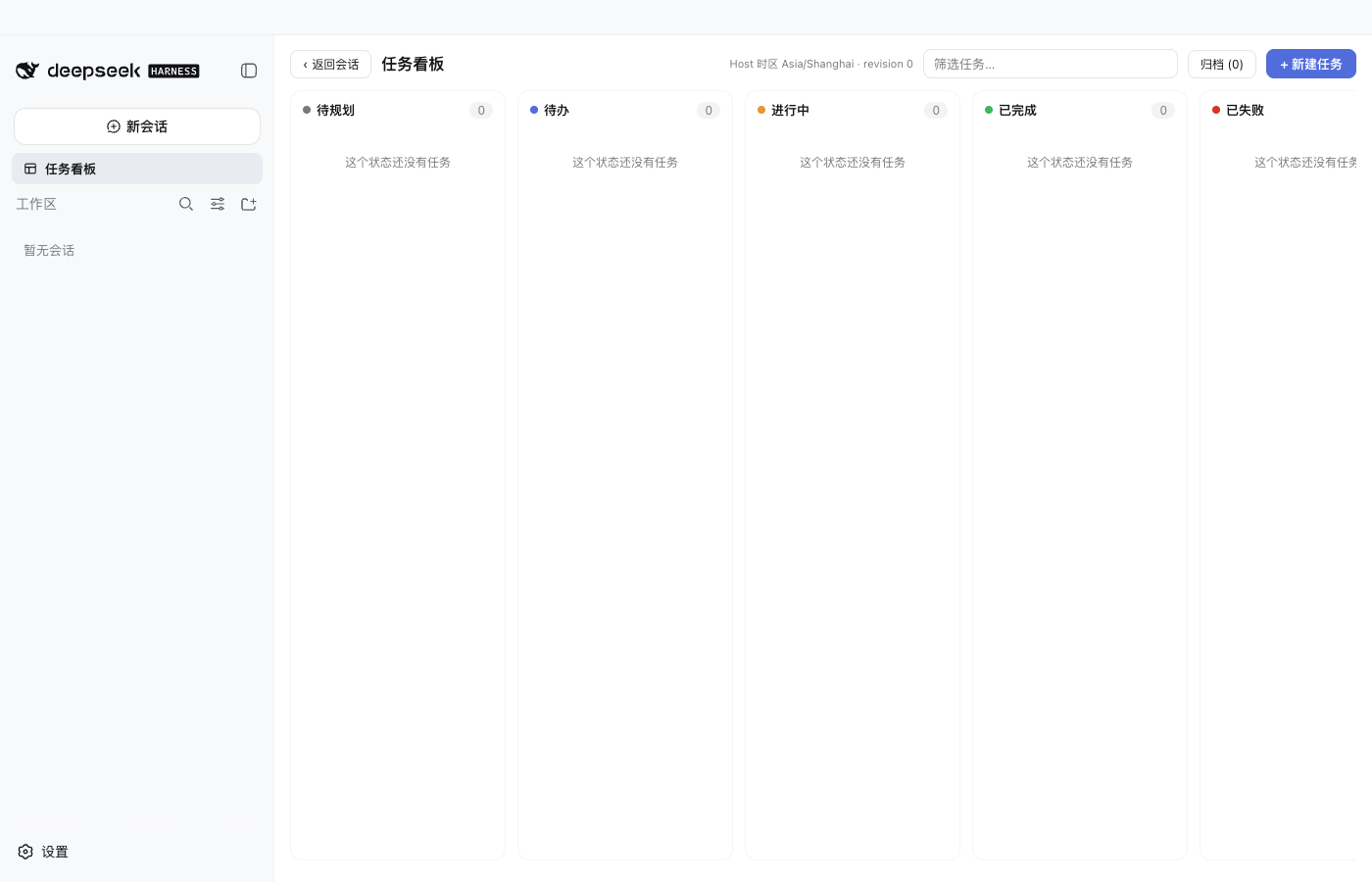
Ready on first launch
The main window is the official DSH Web; every other capability ships as a plugin bundle — combine as needed, disable anytime.
Sessions, agents, tools, skills, MCP, settings and history are managed by DSH itself — no second chat page, no private frontend fork.
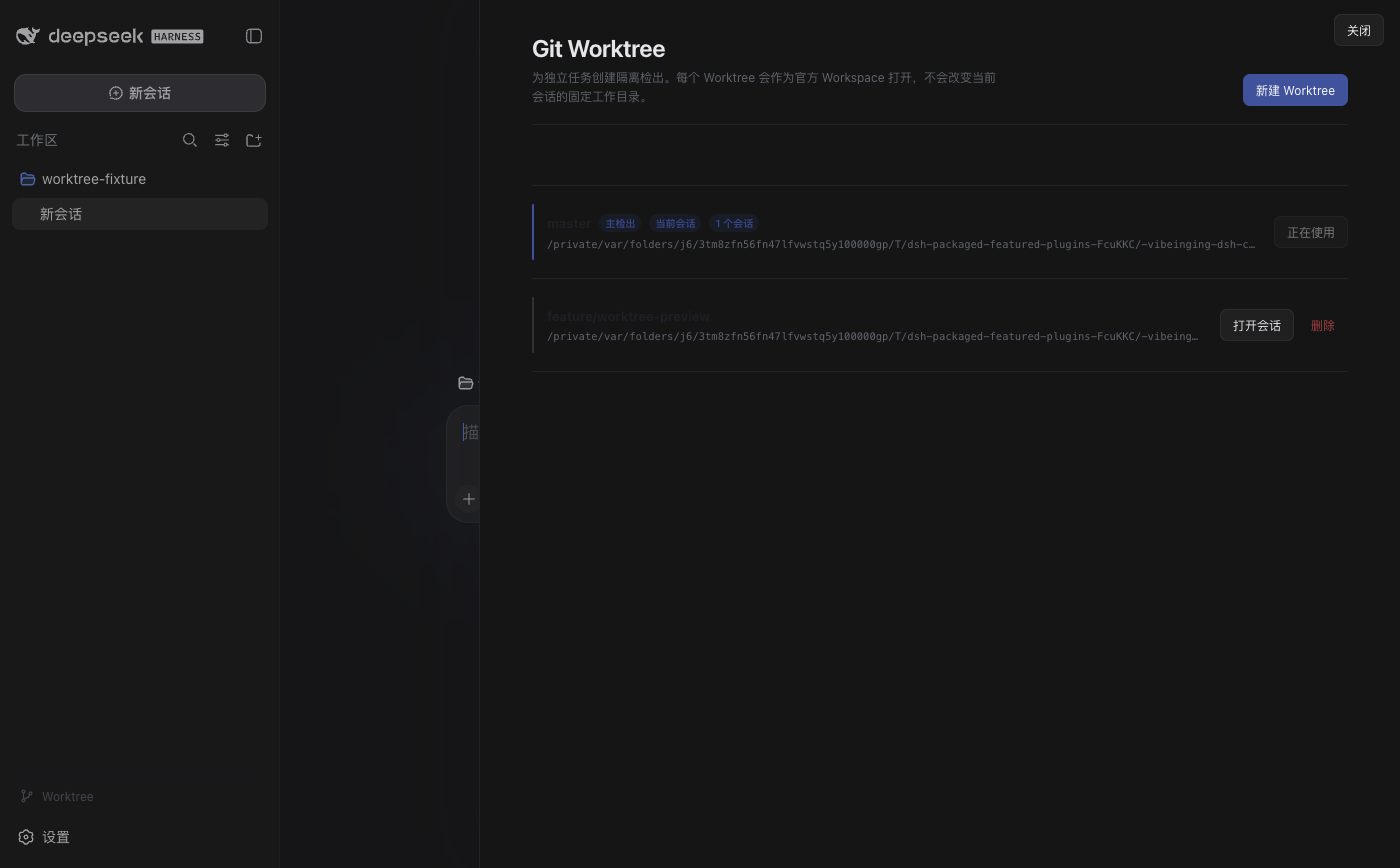
File tree, code and Markdown editing, Git, terminal, web and extension tabs. Multi-repo, Worktree and Vue file support; terminal tools stay off for the model by default.
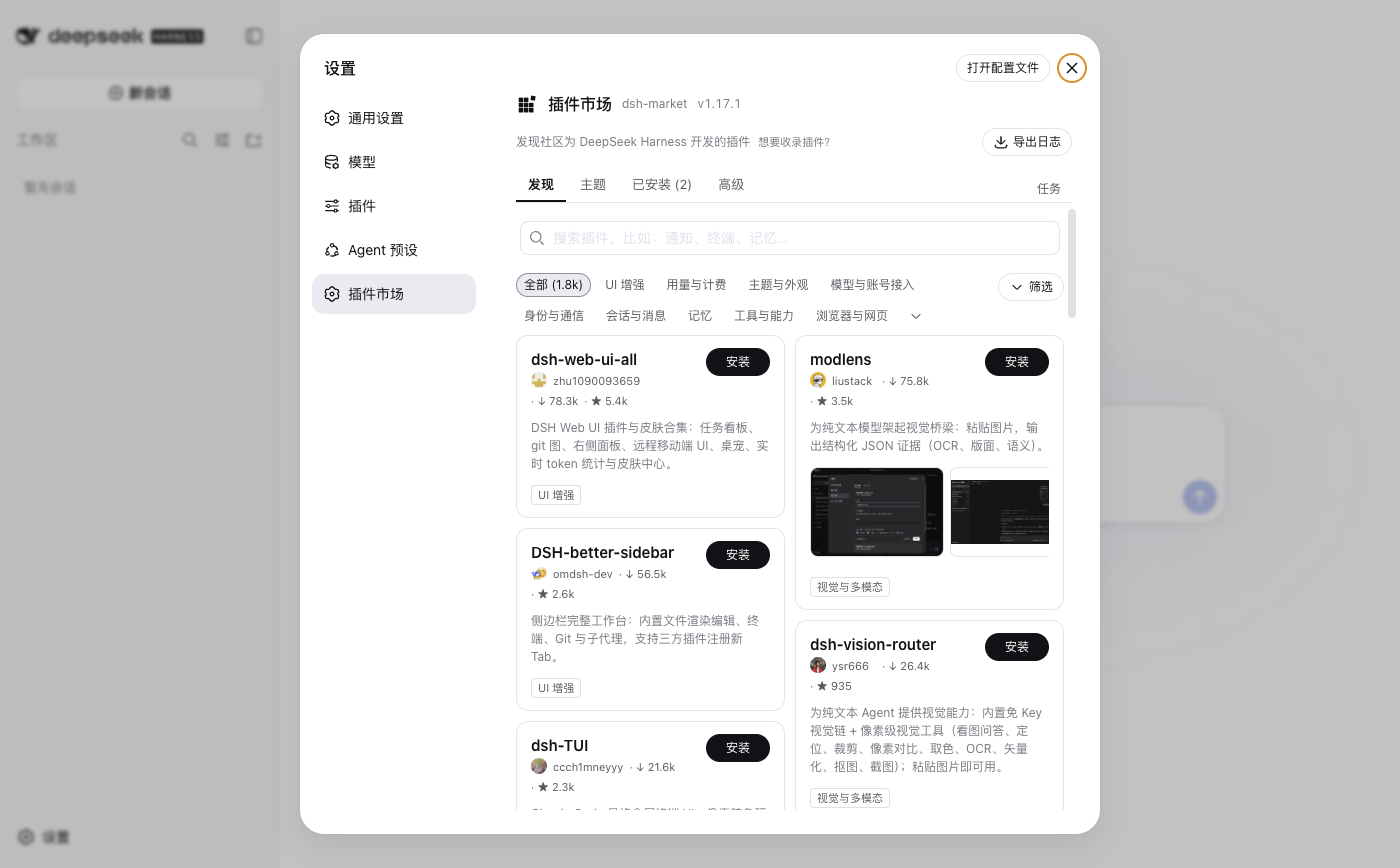
Discover, install, update, disable and uninstall plugins right in the official settings page. UI, CLI and app restarts all share one profile — state never diverges.
Task board, file and folder attachments, Git Worktrees, project tools, Office and structured results — each an independent bundle you can combine freely.
The app owns windows, native file dialogs, updates and recovery. New versions always ask first; a broken profile opens the recovery page with retry and safe-mode options.
New profiles initialize offline from pinned artifacts shipped with the installer, with integrity checks; normal startup never rewrites an existing profile or reinstalls what you removed.
Interface
Chat, approvals and history stay in official sessions; the plugin market uses the official settings slot — no replaced pages, no second database.
Quick start
Get the installer and drag it to Applications. It ships the official runtime and offline setup artifacts — no Node.js required, first launch works without network setup.
Get an API key from the DeepSeek platform or another provider, then paste it in the in-app DSH settings. Credentials stay in ~/.dsh, managed by DSH — never uploaded or logged.
Pick a working directory and create a session; open files, Git or terminal in the sidebar; when you need more, visit Settings → Plugin Market.
Plugin ecosystem
Every bundle is locked to an exact version with recorded SHA-256, permissions and license; apart from two base desktop services, all of them can be disabled or uninstalled, and updates never reinstall what you removed.
 dsh-better-sidebar v0.19.0
Workspace sidebar with file tree, editor, Git and terminal
by omdsh-dev 💜
dsh-better-sidebar v0.19.0
Workspace sidebar with file tree, editor, Git and terminal
by omdsh-dev 💜
 dshmarket v1.17.1
Plugin market: install, update, backup and restore
by dsh-market 💜
dshmarket v1.17.1
Plugin market: install, update, backup and restore
by dsh-market 💜
 dsh-client-ui-task-board v0.3.9
Task board, run records and the skin-center ecosystem
by zhu1090093659 💜
dsh-client-ui-task-board v0.3.9
Task board, run records and the skin-center ecosystem
by zhu1090093659 💜
 dsh-multimedia-webui-input v0.1.0
File and folder attachment input
by LCYLYM 💜
dsh-multimedia-webui-input v0.1.0
File and folder attachment input
by LCYLYM 💜
 dsh-session-teams v0.1.2
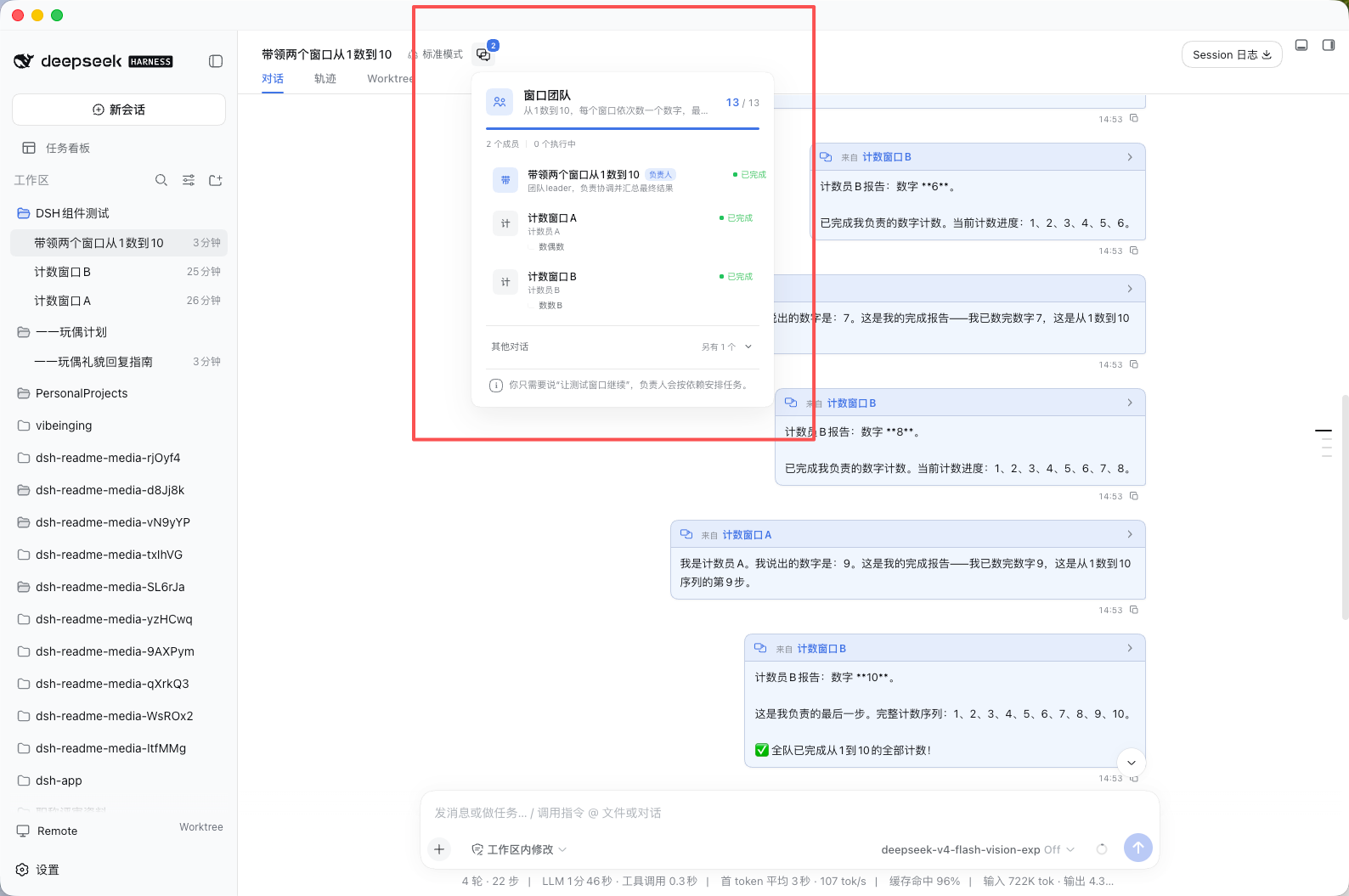
Conversation window teams: message another window, or make the current window the captain of role windows (bundled since v0.2.1)
by vibeinging 💜
dsh-session-teams v0.1.2
Conversation window teams: message another window, or make the current window the captain of role windows (bundled since v0.2.1)
by vibeinging 💜
 ds-harness-remote v0.4.13
End-to-end encrypted remote access: drive your local DSH from a phone or browser (bundled since v0.2.4)
by liguobao 💜
+ Share your plugin
Built something great? Post it in the community showcase
ds-harness-remote v0.4.13
End-to-end encrypted remote access: drive your local DSH from a phone or browser (bundled since v0.2.4)
by liguobao 💜
+ Share your plugin
Built something great? Post it in the community showcase
Thanks to @omdsh-dev, @dsh-market, @zhu1090093659, @LCYLYM, @liguobao and @NanmiCoder — DSH Desktop is stronger because of you.
Marketplace visibility does not mean this project has reviewed or endorsed a plugin; check upstream docs before installing.
The app keeps the official Web look by default. When you want a change, install the community
Skin Center @linxin666/dsh-client-ui-skin-center from the plugin market: dozens of
skins with instant try-on and one-click revert to the official look.
Skin assets carry their own upstream licenses, so it is not bundled by default — you opt in.
dsh plugin --profile web add @linxin666/dsh-client-ui-skin-centerdsh plugin --profile web add -w <package>@<exact-version> --save-exact --ignore-scripts
dsh plugin --profile web remove <package>Architecture
Electron here is a deliberately thin desktop host. The real agent, session and plugin systems still belong to DSH.
The app loads the official Web and npm runtime directly — no private chat fork to maintain.
The official profile is the only authority; market, settings and CLI all write the same data.
Pinned versions with integrity, permission, dependency and license records, plus offline install artifacts.
Files, windows and Browser Workspace open only through narrow, session-scoped methods.
Existing profiles keep your choices; failures preserve the original profile and open recovery.
Updates preflight the profile read-only; bundles you disabled or uninstalled stay that way.
Security & privacy
macOS Developer ID signing with Apple notarization and Hardened Runtime; the Windows installer enforces signature checks.
Profiles, sessions and runtime data live in ~/.dsh by default. No external account model; secrets never enter logs or diagnostics.
The official Web gets no product preload, Node access or generic IPC; files enter a session only by your choice or declared plugin permission.
A failing plugin never silently mutates your profile; the recovery page retries, safe-boots, removes the problem plugin and exports redacted diagnostics.
Download
Latest release v0.2.5 · Artifacts are published on GitHub Releases; in-app updates always ask first.
Run from source (Node.js 24+); macOS x64 and Linux supported.
Run from source →GitHub slow in your region? The installers are large (official runtime and offline setup included) — copy the direct link and use a download manager or GitHub proxy; in-app updates use GitHub Releases too.
git clone https://github.com/vibeinging/dsh-desktop.git
cd dsh-desktop && npm install
npm run doctor
npm run dev:electron
FAQ
Get an API key from the DeepSeek platform or another provider, then paste it in the in-app DSH settings. Credentials are managed by DSH locally in ~/.dsh — never uploaded, logged or written into plugin manifests.
Release builds are Developer ID signed and Apple notarized, so this should not appear. If it does, right-click the app in Applications and choose Open, or allow it in System Settings → Privacy & Security.
The installer is signature-checked. If SmartScreen still shows "Windows protected your PC", click "More info" → "Run anyway".
Installers are large (~300–400 MB with the official runtime and offline setup). Copy the direct link above and use a download manager or GitHub proxy; in-app updates use GitHub Releases too.
Profiles, sessions and runtime data live in ~/.dsh by default (configurable via DSH_DATA_ROOT). DSH Desktop is a single-machine app with no external account model.
npx dsh — will data conflict?The default data directory matches the official CLI (~/.dsh). The app only reads existing profiles at startup and never rewrites config; offline initialization runs only for new profiles.
Release builds check the public GitHub Release: it asks first, downloads only after you confirm, and preflights the profile read-only before installing. Updates never restore bundles you disabled or removed.
Known issue: macOS builds up to v0.2.4 ship without the updater config file, so in-app updates cannot finish downloading. Install the latest build manually once from the download page; auto-updates work normally afterwards.
Open Settings → Plugin Market in the app; the market shows source, version, compatibility and permissions. You can also use the official CLI (dsh plugin --profile web …) on the same profile.
No formal installer yet — run from source (Node.js 24+). macOS Intel is also source-run.
DSH Desktop is an independent community project built on DeepSeek Harness and the Cordis plugin system, with no affiliation, partnership, authorization or endorsement from DeepSeek.
Plugins matching the official DSH Bundle and dshClient contracts work without rewriting. Plugins needing windows, native file dialogs or Browser Workspace must explicitly use the narrow host contract.
Download the app, pick a working directory, and create your first session.